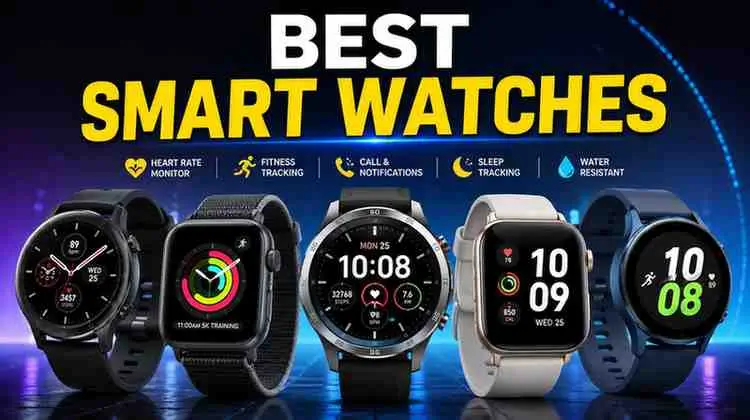
Choosing the best smart watch comes down to one question: what do you actually want it to do? Some people want a fitness coach on their wrist. Others want to leave their phone in their pocket and still get texts. This guide breaks down how smart watches work, what separates a good one from a great one, and how to match a model to your phone, budget, and daily habits — without any invented prices or fake reviews.
What Is a Smart Watch?
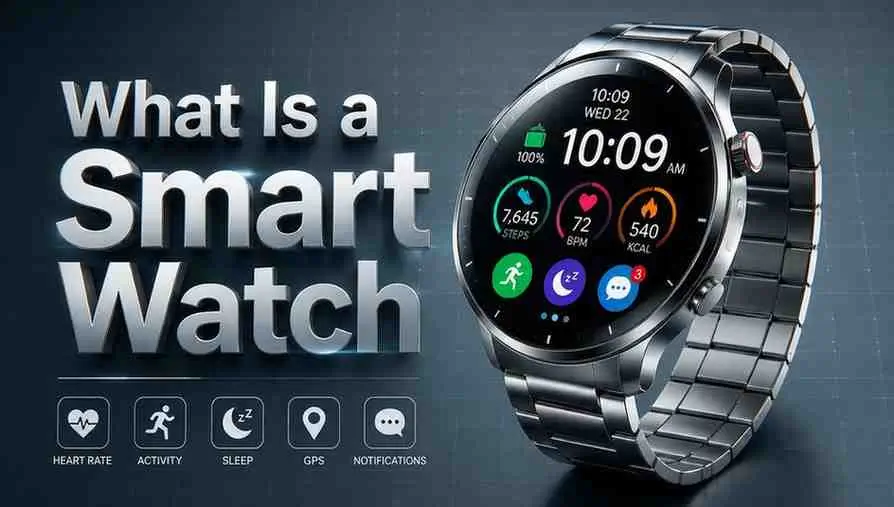
A smart watch is a wrist-worn computer that connects to your phone (or works independently with cellular service) to deliver notifications, track health metrics, and run small apps. Unlike a traditional watch, it has a processor, sensors, a touchscreen, and a battery that needs regular charging. Most models pair with an app on your phone, where your steps, sleep, and heart data get stored and analyzed.
The category splits mainly into two ecosystems: Apple’s watchOS, which only works with iPhones, and Wear OS (used by Samsung, Google, and others), which works with most Android phones. A smaller group of brands, like Garmin, run their own software focused heavily on sports and outdoor tracking rather than app-store extras.
How Does a Smart Watch Work?
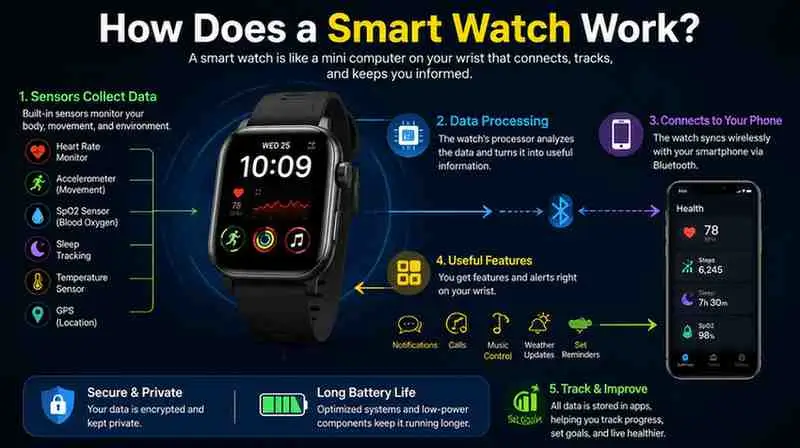
At its core, a smart watch works like a miniature smartphone. It has:
- A Bluetooth or Wi-Fi connection to sync with your phone for calls, texts, and app notifications
- Sensors (optical heart rate, accelerometer, gyroscope, and often SpO2 and ECG) that collect health data continuously
- GPS for tracking outdoor runs, rides, or hikes without needing your phone nearby
- A battery that typically lasts one to several days, recharged via a magnetic dock or charging puck
Some watches also support cellular connectivity, letting them make calls or send messages independently of your phone, usually for an added monthly fee through your carrier.
Standalone vs. Companion Devices
Most smart watches are “companion” devices — they need an initial phone pairing to set up accounts and apps, even if they can later handle GPS runs solo. True standalone models are rare and usually limited to basic fitness bands.
Key Features to Look For
When comparing models, focus on the features that affect daily use, not marketing buzzwords:
- Display type: AMOLED screens offer richer color and always-on options; LCD screens are dimmer but sip less battery.
- Health sensors: Look for heart rate, SpO2, and, if relevant to you, ECG or skin temperature sensing.
- Battery life: Ranges widely — some Wear OS and watchOS models last one to two days, while Garmin and hybrid watches can last a week or more.
- Water resistance: Most fitness-focused watches are rated for swimming; check the specific rating (like 5 ATM or 10 ATM) rather than assuming “water resistant” covers swimming.
- Compatibility: watchOS models only work fully with iPhones; Wear OS is broadly Android-compatible, with some limited iPhone support.
- Build and durability: Rugged models add reinforced cases and sapphire crystal glass for outdoor or high-impact use.
Benefits of Owning a Smart Watch
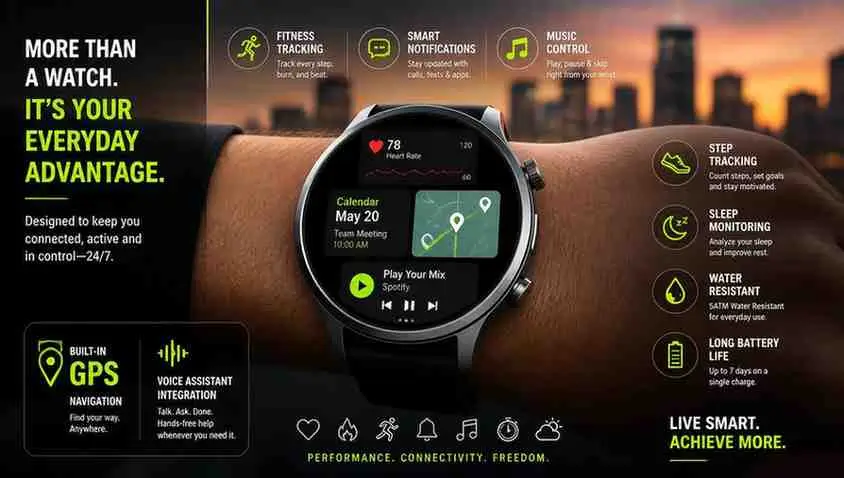
A smart watch earns its place on your wrist through a few practical advantages:
- Continuous health monitoring — heart rate, sleep stages, and activity trends build up over weeks, offering more insight than periodic checkups alone.
- Reduced phone-checking — glanceable notifications mean fewer reasons to pull out your phone.
- Fitness accountability — built-in workout tracking and reminders help maintain consistency.
- Convenience features — contactless payments, music control, and voice assistants reduce daily friction.
- Safety tools — fall detection, emergency SOS, and location sharing are genuinely useful for solo runners, older adults, or outdoor athletes.
Limitations and Disadvantages
No smart watch is perfect, and it’s worth going in with realistic expectations:
- Battery life is still a compromise. Feature-rich AMOLED watches often need daily or near-daily charging, which can be a hassle compared to a traditional watch.
- Health data isn’t medical-grade. Sensors are useful for trends but shouldn’t replace a doctor’s diagnosis, especially for heart conditions.
- Ecosystem lock-in. Buying into watchOS or Wear OS ties you closer to that phone brand, making it harder to switch phones later without losing features.
- Ongoing costs. Cellular plans, some premium coaching subscriptions, and eventual battery degradation add to the real cost of ownership over time.
- Notification overload. Without careful settings, a smart watch can become another source of constant interruptions rather than a filter.
How to Choose the Right Smart Watch for You
Follow these steps to narrow down your decision:
- Start with your phone. iPhone owners get the fullest experience from an Apple Watch; Android owners generally get more from Wear OS options like Samsung Galaxy Watch or Google Pixel Watch.
- Define your main use case. Are you prioritizing running and outdoor tracking, general health monitoring, or productivity and notifications?
- Set a battery-life expectation. If you don’t want to charge daily, look toward Garmin-style sports watches or hybrid designs instead of AMOLED-heavy models.
- Decide on cellular vs. Bluetooth-only. Cellular adds independence but comes with a recurring carrier fee.
- Check size and comfort. Case sizes vary (roughly 40mm to 49mm); a large rugged case may not suit smaller wrists.
Best Smart Watch by Category
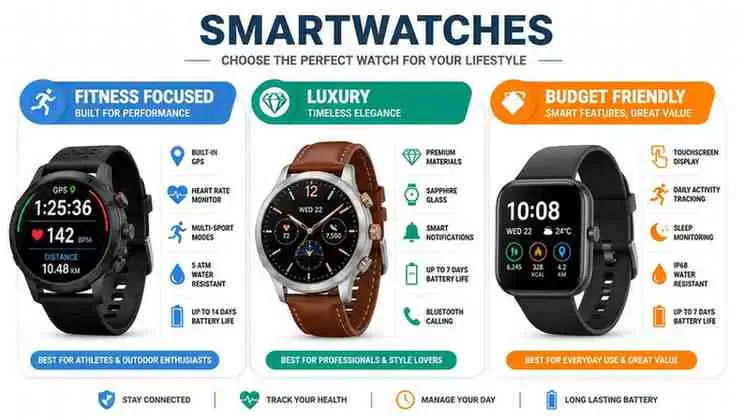
Based on current expert reviews and testing from outlets like Tom’s Guide, Wareable, and PhoneArena, here’s how the leading models stack up by category. Always confirm the latest specs and prices on the manufacturer’s site before buying, since models and prices change.
| Category | Recommended Model | Best For |
| Best overall / iPhone users | Apple Watch Series 11 | Balanced features, deep iPhone integration |
| Best rugged / outdoor | Apple Watch Ultra 3 | Long battery life, satellite SOS, durability |
| Best Android / Wear OS | Google Pixel Watch 4 | Polished software, strong health coaching features |
| Best for Samsung/Android power users | Samsung Galaxy Watch (current generation) | Deep Android integration, sports tracking |
| Best for serious runners/outdoor sports | Garmin (running-focused models) | Multi-day battery, advanced training metrics |
| Best budget option | Entry-level Wear OS or Galaxy Watch FE-type model | Core fitness and notification features at lower cost |
Security and Privacy
Smart watches collect sensitive data, including your location, heart rate, and sleep patterns, so privacy settings matter:
- Review app permissions on the companion app regularly, especially location and health data sharing.
- Use a passcode or biometric lock on the watch itself, particularly if it supports contactless payments.
- Check data-sharing defaults. Many platforms share anonymized health data for research by default; you can usually opt out in settings.
- Keep firmware updated. Manufacturers regularly patch security vulnerabilities, so delayed updates can leave devices exposed.
No smart watch can be called completely risk-free, but keeping software current and reviewing permissions meaningfully reduces exposure.
Performance and Compatibility
Performance differences mostly come down to the chipset and software optimization rather than raw specs. Newer Apple and Samsung watches use dedicated wearable chips (like Apple’s S-series or Samsung’s Exynos W-series) that keep animations smooth and app-switching quick. Compatibility is the bigger consideration:
- watchOS requires an iPhone (usually a relatively recent model) and won’t pair with Android at all.
- Wear OS supports most Android phones running a recent OS version, with a limited feature set available on iPhones for a few brands.
- Garmin and other proprietary platforms typically support both iOS and Android through their own apps, though feature parity can vary slightly between platforms.
Cost and Pricing
Smart watch pricing spans a wide range, from budget fitness-focused models to premium rugged or luxury editions. Rather than quoting figures that go stale quickly, use these general tiers when budgeting:
- Budget tier: Basic fitness tracking, fewer sensors, shorter software support.
- Mid-range tier: The most popular tier — solid health sensors, AMOLED displays, one to two days of battery.
- Premium/rugged tier: Extra durability, satellite connectivity, longer battery life, and titanium or sapphire materials.
Factor in potential extras: cellular plan fees, additional bands, screen protection, and eventual battery replacement after a few years of daily charging.
Who Should Use a Smart Watch?
A smart watch is a strong fit if you:
- Want ongoing insight into activity, sleep, or heart health
- Regularly exercise and want GPS tracking without carrying your phone
- Rely on quick notification glances to manage a busy day
- Value safety features like fall detection or SOS while active outdoors
Who Should Avoid or Consider Alternatives?
A smart watch may not be worth it if you:
- Dislike charging a device daily or every couple of days
- Mainly want a simple step counter — a basic fitness band may suffice
- Are looking for medical-grade diagnostics — consult a doctor and dedicated medical devices instead
- Prefer minimal screen time and would rather reduce notifications, not add another source of them
Common Problems and Solutions
| Problem | Likely Cause | Solution |
| Watch won’t pair with phone | Bluetooth conflict or outdated app | Restart both devices, update the companion app, and re-pair |
| Battery drains faster than expected | Always-on display or excessive notifications | Disable always-on mode and limit background app refresh |
| Inaccurate heart rate readings | Loose fit or wrist placement | Tighten the band slightly and wear it just above the wrist bone |
| GPS not locking during workouts | Poor satellite signal indoors or under cover | Start the workout outdoors and allow a minute for GPS lock |
| Notifications not showing | Do Not Disturb sync or permission settings | Check notification permissions in both phone and watch settings |
Tips and Best Practices
- Clean the sensor area on the back of the watch regularly to maintain accurate heart rate readings.
- Charge the watch at a consistent time (like during your shower or morning routine) to avoid unexpected shutdowns.
- Customize notifications early to avoid alert fatigue — most people only need messages, calls, and calendar alerts.
- Recalibrate GPS accuracy by occasionally running with your phone alongside the watch and comparing results.
- Replace silicone bands periodically, since they degrade with sweat and sun exposure.
Frequently Asked Questions
What is a smart watch?
A smart watch is a wearable computer that connects to your phone to deliver notifications, track fitness and health metrics, and run lightweight apps.
How does a smart watch work?
It uses Bluetooth or cellular connectivity to sync with a phone app, while onboard sensors like an accelerometer, heart rate monitor, and GPS collect data directly from your wrist.
Is a smart watch worth it?
For people who exercise regularly or want ongoing health insight, most reviewers find it worthwhile. If you rarely use fitness or notification features, a basic watch may suit you better.
How much does a smart watch cost?
Costs range from budget fitness-focused models to premium rugged editions. Check current pricing directly on manufacturer or retailer sites, since prices shift often.
Is a smart watch safe?
Smart watches are generally safe to wear, though users should review data-sharing permissions and keep software updated to limit privacy and security risks.
Which is better: Apple Watch or Samsung Galaxy Watch?
It depends on your phone. Apple Watch only fully works with iPhones, while Galaxy Watch offers deeper features on Android, particularly Samsung phones.
Do smart watches replace fitness trackers?
For most users, yes — smart watches now include the sensors and tracking features that dedicated fitness bands offer, plus notifications and apps.
Can a smart watch make calls without a phone nearby?
Only cellular-enabled models can make calls independently, and this typically requires an additional carrier plan.
how smart watch measure vo2 max
Smartwatches estimate VO₂ max by analyzing heart rate, running/walking speed, distance, and GPS data during exercise.
They use these measurements in an algorithm to estimate how efficiently your body uses oxygen during physical activity.
what is smart stack on apple watch
Smart Stack on Apple Watch is a collection of widgets that automatically shows useful information based on your time, location, and activity.
You can quickly scroll through the Smart Stack to check things like weather, calendar events, reminders, and other updates.
How to Watch Local Channels on a Smart TV
You can watch local channels on a Smart TV by connecting an over-the-air (OTA) antenna to the TV’s antenna input and running an Auto Channel Scan.
Alternatively, use a live-TV streaming service or the official apps of local broadcasters if they are available in your region.
Conclusion
The best smart watch isn’t a single model — it’s the one that matches your phone, your daily routine, and how much battery-charging you’re willing to tolerate. iPhone users get the most polished experience from Apple Watch, Android users generally lean toward Wear OS options like Google Pixel Watch or Samsung Galaxy Watch, and dedicated athletes often prefer Garmin’s longer battery life and training depth. Before buying, confirm current specs and pricing directly from the manufacturer, since this is a fast-moving category where models update frequently.

Shahid Imran is the founder of InfoPrimeX, where he writes about AI tools, technology, gadgets, apps, travel, and digital trends. His mission is to provide practical, easy-to-understand information that helps readers learn smarter, explore better, and stay ahead.
Website: infoprimex.com