Many schools are now limiting or banning phones during the day, and more parents are looking for a way to stay in touch with their child without handing over a full smartphone. That’s the gap a smart watch for kids fills. It gives a child a way to call, text, and share their location, while keeping the rest of the internet out of reach.
This guide explains what these watches actually do, how they work, what they cost, and where the real trade-offs are , including the privacy questions every parent should ask before buying one. Whether you’re comparing your first watch or trying to figure out if it’s worth the monthly fee, you’ll find a straightforward answer here.
What Is a Smart Watch for Kids?
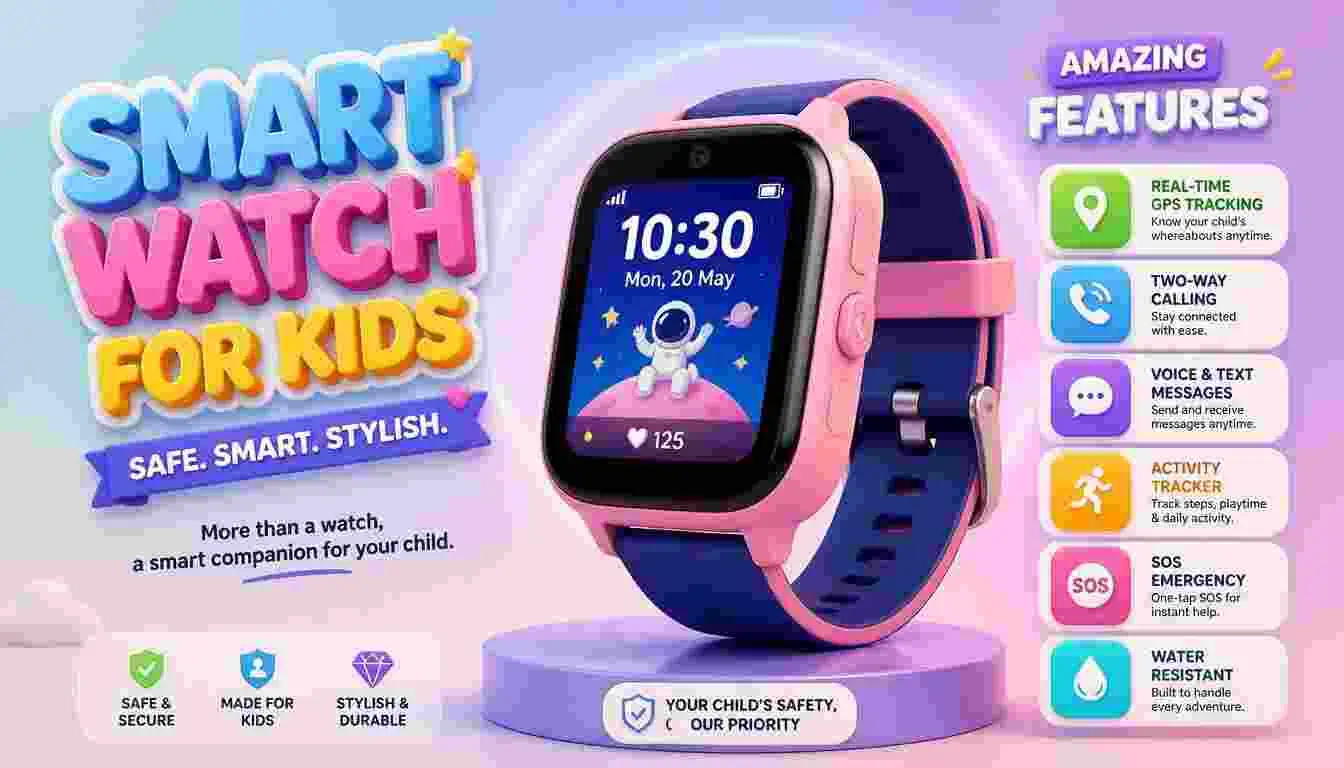
A smart watch for kids is a wrist-worn device built for children, usually between ages 5 and 12, that combines basic communication tools with location tracking and simple entertainment features. Unlike a smartwatch made for adults, it does not offer open web browsing, app stores, or social media.
Most kids’ smartwatches pair with a parent’s smartphone app. From that app, a parent can see the child’s location, approve who the child can call or text, set up safe zones, and manage screen time or “school mode” hours. The watch itself typically has a touchscreen, a speaker and microphone for calls, GPS, and a rechargeable battery.
There are two broad types:
- Cellular (LTE) watches use their own phone number and data plan, so they work independently of the parent’s phone, even away from Wi-Fi.
- Bluetooth-only watches , These connect to a parent’s phone over a short range and don’t need a monthly plan, but they lose most features once out of range.
How Does a Smart Watch for Kids Work?
A kids’ smartwatch uses a combination of GPS, cellular or Wi-Fi connectivity, and a companion parent app to function.
The GPS and Location System
The watch uses GPS, and often Wi-Fi and cellular tower data as a backup, to estimate the child’s location. That location is sent through the manufacturer’s servers to the parent app, usually updating every few minutes.
The Communication Layer
If the watch has an LTE plan, it has its own phone number and can send and receive calls or texts through the carrier network. On Bluetooth-only models, messages and calls route through the parent’s connected phone instead.
The Parent Control Layer
Nearly every kids’ watch has a parent-facing app or web dashboard. From there, a parent typically can:
- Add or remove approved contacts
- View the child’s current and recent locations
- Set geofenced “safe zones” that trigger an alert when the child leaves
- Turn on a school or study mode that silences non-emergency features
- Approve or block incoming calls in real time
Key Features of a Smart Watch for Kids
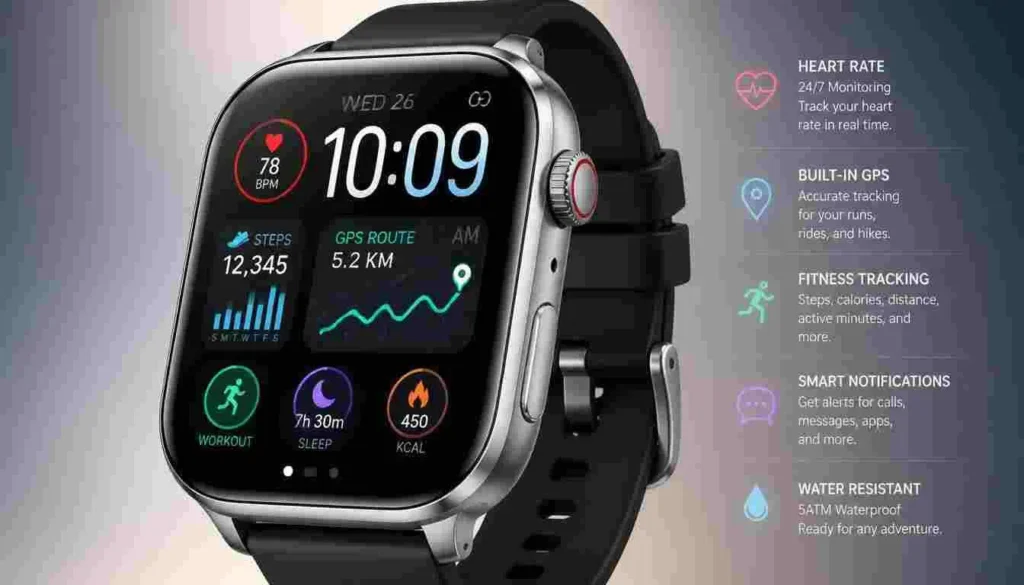
Not every watch includes every feature, and more features usually mean a higher price. Here’s what tends to matter most:
- GPS tracking with location history , shows where the child is now and where they’ve been
- Two-way calling , voice calls to and from approved numbers
- Texting or voice-to-text messaging , some models use a full keyboard, others use speech-to-text or preset messages
- SOS button , sends an alert with location to parents, and on some models, to emergency contacts
- Geofencing / safe zones , alerts parents when a child arrives at or leaves a set location, like school or home
- School mode , limits the watch to basic time-telling during class hours
- Water resistance , useful for recess, sports, and handwashing
- Step counter and simple fitness tracking , encourages activity without full fitness-app complexity
- Camera , for photos or video calling, on select models
Smart Watch for Kids Without Phone:
Discover the best smart watches for kids that let children stay connected without needing their own smartphone. Explore kid-friendly watches with GPS tracking, calling, SOS alerts, messaging, parental controls, and other useful safety features. Find the right option based on your child’s age, needs, and budget.
Benefits of a Smart Watch for Kids
The appeal of a smart watch for kids comes down to staying connected without the risks that come with an open smartphone.
- Peace of mind for parents. Knowing where a child is during the school commute or after-school activities reduces daily worry.
- A safer first device. Without app stores, social media, or open browsing, there’s far less exposure to inappropriate content or strangers online.
- Independence with a safety net. Kids can walk to a friend’s house or ride the bus alone while still being reachable.
- Fewer classroom distractions. Since there’s no internet or games library on most models, the watch doesn’t compete with schoolwork the way a phone can.
- Encourages healthy habits. Step counters and simple activity goals can nudge kids toward more movement.
Limitations and Disadvantages
A kids’ smartwatch is not a perfect solution, and it’s worth being clear-eyed about the downsides.
- Ongoing subscription costs. Cellular models usually require a monthly data plan, which adds up over a year or two.
- Battery life is short. Many models need charging daily or every other day, especially with GPS active.
- GPS accuracy can vary. Indoors, in dense urban areas, or near tall buildings, location data can be delayed or off by a noticeable distance.
- Kids can outgrow them quickly. Tweens and teens often want a real phone within a year or two, so the watch becomes a short-term solution.
- Not all watches are equally secure. Some budget or off-brand watches have had documented security flaws, so brand choice matters (more on this below).
- Small screens limit functionality. Typing and navigating menus is harder on a 1.4-inch screen than on a phone.
How to Set Up a Smart Watch for Kids
Setup varies by brand, but the general process is similar across most models.
- Charge the watch fully before turning it on for the first time.
- Download the parent app on your own phone, not your child’s.
- Create an account and, if it’s a cellular model, activate the SIM or eSIM plan with your carrier.
- Pair the watch with the app, usually by scanning a QR code shown on the watch screen.
- Add approved contacts who the child will be able to call or text.
- Set safe zones for home, school, and any other regular locations.
- Configure school mode or quiet hours, if the watch supports it.
- Do a test call and location check together with your child before their first day using it independently.
Smart Watch for Kids vs. a Smartphone
| Feature | Smart Watch for Kids | Smartphone |
| Internet access | None or very limited | Full access |
| App store / social media | Not available | Available |
| Calling and texting | Approved contacts only | Open, unrestricted |
| GPS tracking | Built-in, parent-controlled | Requires separate app |
| Monthly cost | Often lower, sometimes bundled | Full phone plan pricing |
| Screen distraction risk | Low | Higher |
| Best for | Ages 5–12, first connected device | Teens, more independence |
Security and Privacy
This is the section parents should not skip. Kids’ smartwatches collect sensitive data, including real-time location, voice messages, and contact lists, so how a company handles that data matters as much as the hardware.
In 2018, the FTC sent warning letters to two smartwatch app developers over allegations that they <cite index=”8-1″>collected precise geolocation data from children under 13 without providing notice to parents or seeking verifiable parental consent</cite>. In 2022, the Children’s Advertising Review Unit found that a popular kids’ smartwatch and app <cite index=”13-1″>failed to give clear notice of its information-collection practices or a way for parents to give verifiable consent</cite>. Independent security researchers have also found flaws in some lower-cost, off-brand watches that allowed strangers to access location or audio data.
The regulatory environment has tightened since then. The FTC <cite index=”11-1″>finalized amendments to the Children’s Online Privacy Protection Rule in January 2025, marking the first major overhaul of COPPA since 2013, with a compliance deadline in April 2026</cite>.
To reduce risk, look for these signals before buying:
- A published privacy policy that specifically addresses children’s data and COPPA compliance
- Data encryption for location and message data, confirmed in the manufacturer’s documentation
- No third-party data sharing for advertising purposes
- A track record from an established brand rather than an unfamiliar off-brand import
- Regular firmware and security updates from the manufacturer
If a company won’t clearly explain what data it collects and who can access it, that’s a reason to look elsewhere, regardless of how many features the watch has.
Performance and Compatibility
Most kids’ smartwatches pair with both iOS and Android through a dedicated app, but always confirm compatibility before buying, since some cellular models are carrier-locked. Cellular watches typically work on major U.S. carriers like Verizon, AT&T, and T-Mobile, though not every watch supports every carrier.
Location accuracy depends on a mix of GPS satellites, Wi-Fi positioning, and cellular triangulation. Expect the best accuracy outdoors and slightly delayed or approximate readings indoors or in dense areas. Battery life ranges widely: some basic models last several days on a charge, while feature-rich models with GPS and calling active often need a nightly charge.
Cost and Pricing
Pricing for a smart watch for kids generally falls into a few tiers, though exact prices change often and should be confirmed on the manufacturer’s site before purchase.
- Basic Bluetooth-only watches: typically the least expensive option, with no monthly plan required
- Mid-range cellular watches: a one-time device cost, plus a monthly data plan often bundled through a major carrier or the watch maker’s own service
- Premium models (like a cellular Apple Watch or Galaxy Watch): the highest device price, plus a monthly plan through the carrier’s family/watch line
Because pricing and plan bundles change frequently, check current pricing directly on the retailer or carrier’s website rather than relying on older published figures.
Who Should Use a Smart Watch for Kids?
A kids’ smartwatch tends to be the best fit for:
- Parents who want a way to reach a child during the school commute, extracurriculars, or time with friends
- Families not ready to hand over a full smartphone but who want more than a basic tracker
- Kids old enough to be responsible for wearing and charging a device, generally ages 6 and up
- Households where schools restrict phones but still allow simple communication watches
Who Should Avoid or Consider Alternatives?
A kids’ smartwatch may not be the right choice for:
- Very young children who are always supervised and don’t need independent communication
- Families who need robust internet access or app-based schoolwork tools, where a managed smartphone with parental controls may fit better
- Teens who are close to getting their first smartphone anyway, where skipping the watch may save money
- Parents specifically looking for a discreet tracker without communication features, where a simpler GPS tracker device may be more appropriate
Common Problems and Solutions
Problem: Battery drains quickly. Solution: Turn off continuous GPS tracking when not needed, lower screen brightness, and charge nightly rather than waiting for a low-battery warning.
Problem: Location shows the wrong place. Solution: This is often a temporary GPS or network delay. Wait a minute and refresh; if it persists indoors, expect reduced accuracy near buildings.
Problem: Child receives calls or messages from unknown numbers. Solution: Check the parent app’s contact list settings , most watches let you switch to an “approved contacts only” mode that blocks anyone not on the list.
Problem: Watch won’t pair with the app. Solution: Confirm both the watch’s firmware and the app are updated, restart both devices, and re-scan the pairing QR code in a well-lit area.
Tips and Best Practices
- Talk with your child about how and when to use the SOS button before an emergency happens
- Review the privacy policy together with your partner before committing to a brand
- Set school mode to reduce distractions during class
- Periodically review the approved contacts list as your child’s circle changes
- Keep the watch’s software updated to patch any security issues
- Treat it as a stepping stone, not a permanent solution , revisit the decision as your child gets older
Frequently Asked Questions
What is a smart watch for kids?
It’s a wrist-worn device for children that offers GPS tracking, limited calling and texting, and parental controls, without full internet or app store access.
Is a smart watch for kids safe?
It can be, if the manufacturer follows strong privacy practices and offers approved-contacts-only communication. Safety varies a lot by brand, so check the company’s privacy policy and security track record before buying.
Is a smart watch for kids worth it?
For many families, yes , especially where a phone isn’t appropriate yet but some independence and safety are needed. It depends on your child’s age, your school’s phone policy, and your budget for a monthly plan.
How much does a smart watch for kids cost?
Costs vary by brand and plan type, from one-time-purchase Bluetooth watches with no monthly fee to cellular models with an ongoing data plan. Check current pricing directly with the retailer or carrier, since it changes often.
Does a smart watch for kids need a SIM card?
Only cellular (LTE) models need a SIM or eSIM and a data plan. Bluetooth-only models connect to a parent’s phone instead and don’t need a separate plan.
Can my child text on a kids’ smartwatch?
Most models support texting to approved contacts, either through a keyboard, preset messages, or voice-to-text, depending on the model.
What age is right for a kids’ smartwatch?
Most brands target ages 5 to 12. Younger children may do best with simpler, Bluetooth-only models, while tweens often benefit from more advanced features like group messaging.
Can strangers track a kids’ smartwatch?
Only if the device or app has a security flaw, or if location sharing isn’t properly restricted. Choosing an established brand with strong encryption and COPPA-compliant privacy practices significantly reduces this risk.
What’s the difference between a kids’ smartwatch and a GPS tracker?
A GPS tracker typically only shares location, while a smartwatch adds two-way communication, an SOS button, and often extra features like step counting or games.
Conclusion
A smart watch for kids can be a genuinely useful middle step between no device and a full smartphone, giving parents visibility into their child’s location and a reliable way to stay in touch, without the open internet and social media that come with a phone. The right choice depends on your child’s age, how much independence they have day to day, and how comfortable you are with the brand’s privacy and security practices.
Before buying, read the privacy policy, confirm COPPA compliance, and compare the monthly plan costs against your budget. Choosing a well-established, actively updated brand will matter more to your child’s safety than any single feature on the spec sheet.

Shahid Imran is the founder of InfoPrimeX, where he writes about AI tools, technology, gadgets, apps, travel, and digital trends. His mission is to provide practical, easy-to-understand information that helps readers learn smarter, explore better, and stay ahead.
Website: infoprimex.com